Dial it down.

Say what hurts. Get the fix in seconds. “My lower back is tight.” That's all it takes. Dial Down builds a stretch‑and‑breathe routine, times it, and talks you through every move.
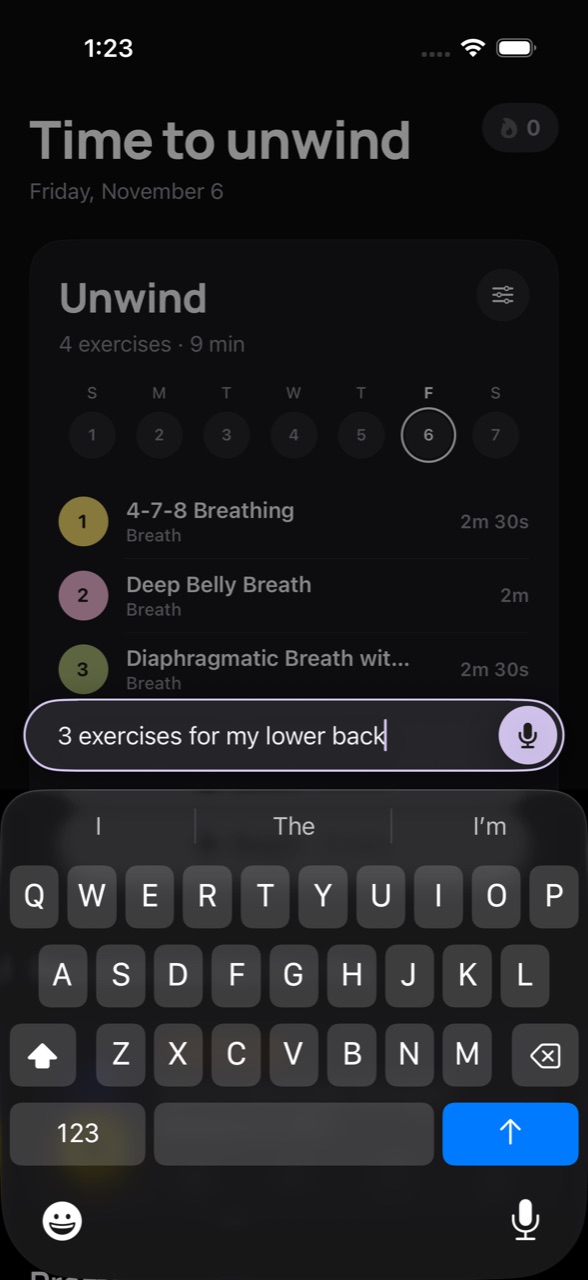
✦“3 exercises for my lower back”
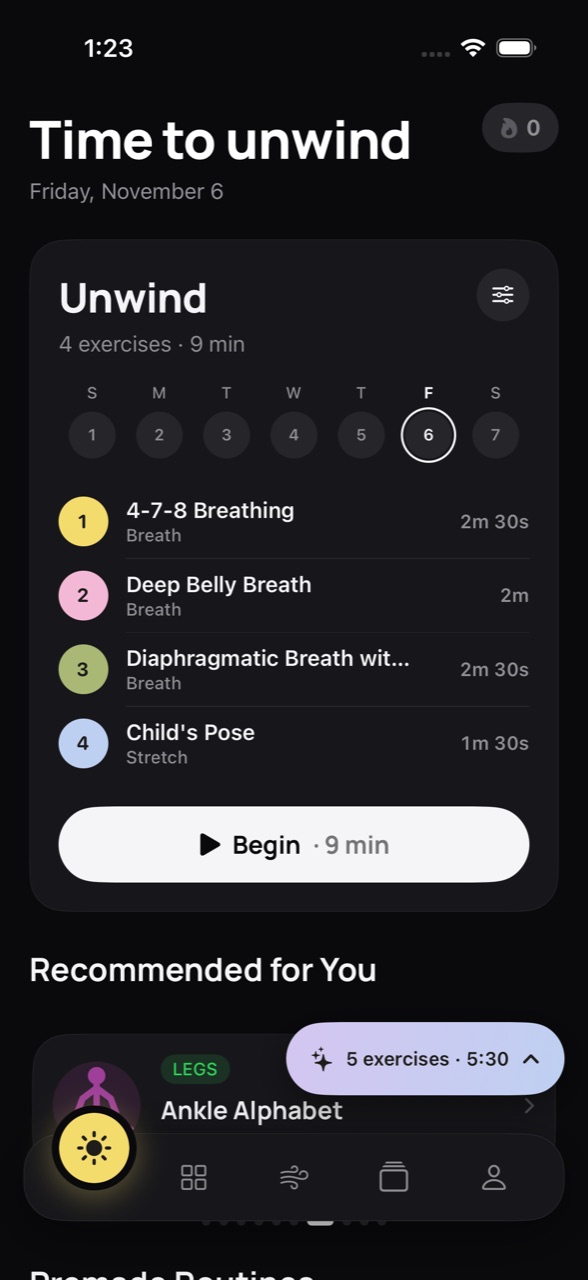
▶5 exercises · 5:30
4Inhale… 4‑7‑8
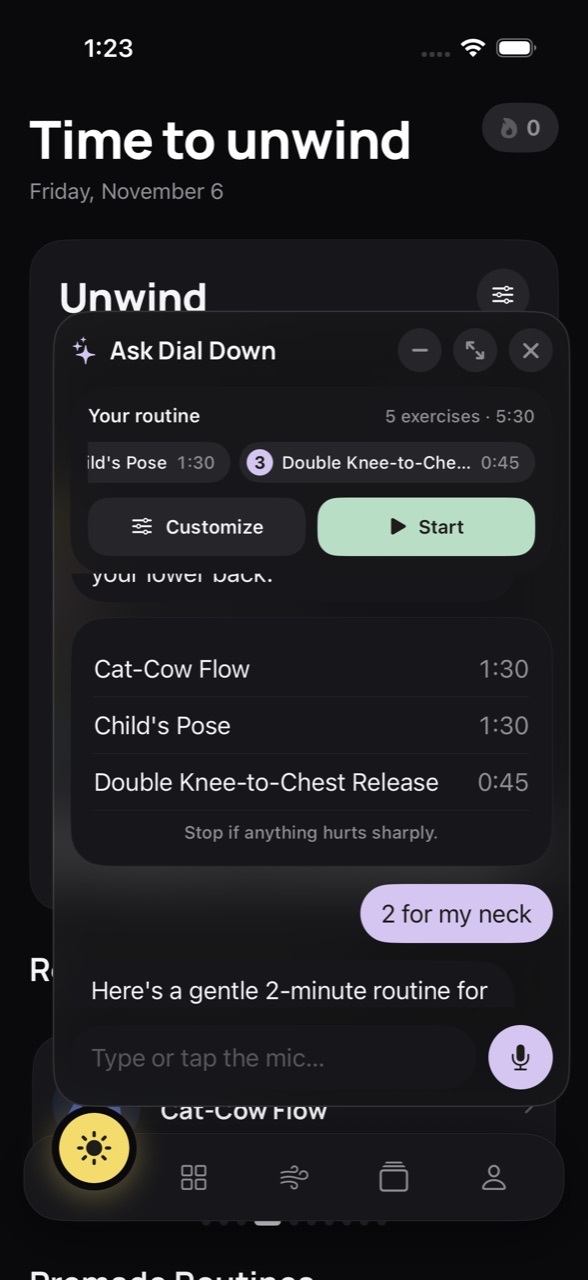
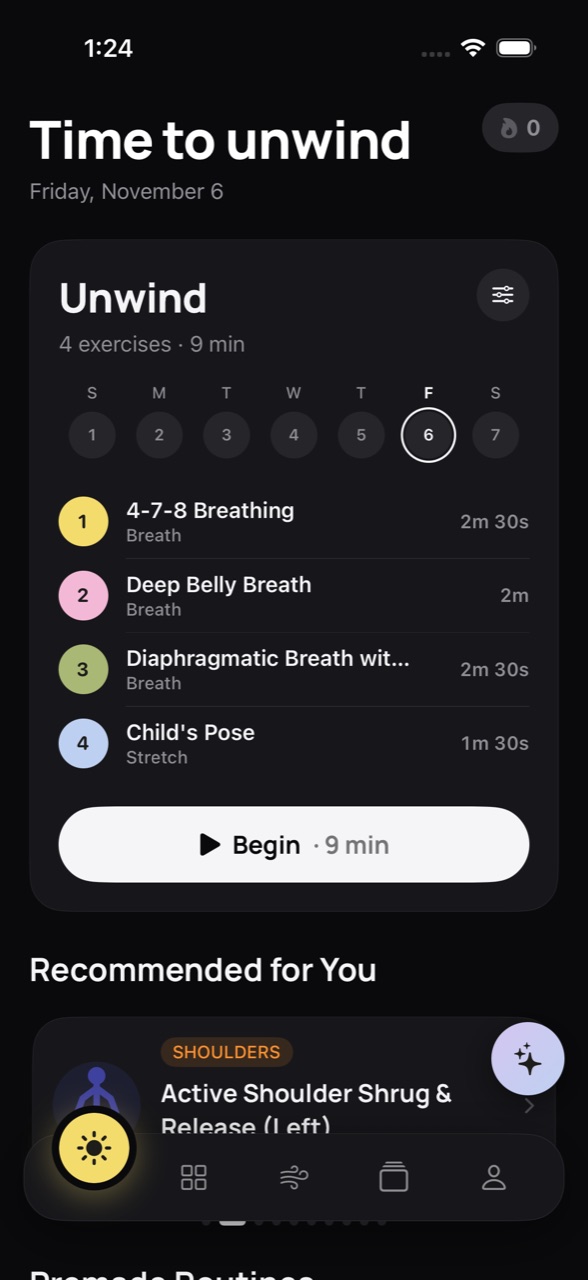
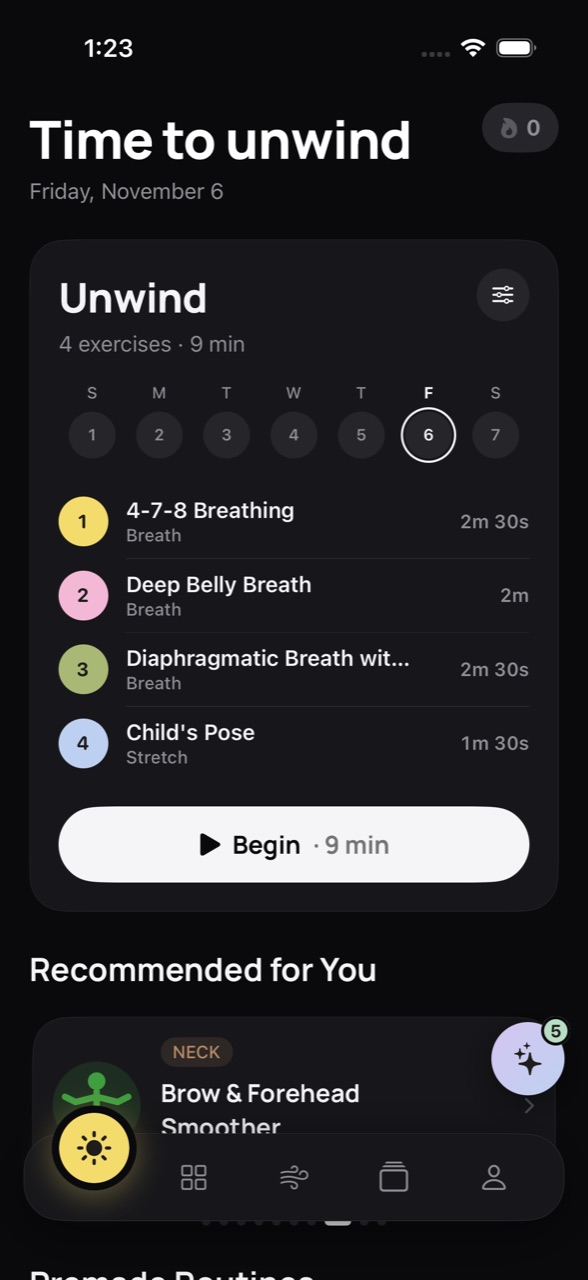
Today screen: Time to unwind, a 9-minute Unwind session Typing “3 exercises for my lower back” into Ask Dial Down Ask Dial Down building a routine in a side chat Ask chat shrunk to a pill showing 5 exercises, 5:30
Free. Private. No account needed. No ads, no subscriptions, nothing to buy. Ever.

Free · iPhone · iOS 26+

Tension builds all day — in your neck, your shoulders, your jaw. Here's a calmer way to let it go.

372

Guided stretches across 8 body areas, each with a looping 3D demo

5

Breathing patterns: Box, 4‑7‑8, Belly, Energising and your own

4

Languages: English, Español, Français and 简体中文

0

Ads, trackers or in‑app purchases. Ever.

How it works

From “ugh, my back”
to relief, in one scroll.

01
Today

Open it. Your session's already waiting.

One card answers “what should I do right now?” It's Wake Up in the morning and Unwind at night, with the exercises numbered in order and a single Begin button.

  • Time‑of‑day sessions
  • Week strip
  • Streaks
Today screen
02
Ask · type or talk

Say what feels tight.

Tap the sparkle and type, or press and hold to talk. “3 exercises for my lower back” is all it needs.

  • Hold to speak
  • Offline dictation
  • On‑device AI
Ask bar with typed request
03
Instant routine

Get a routine in seconds.

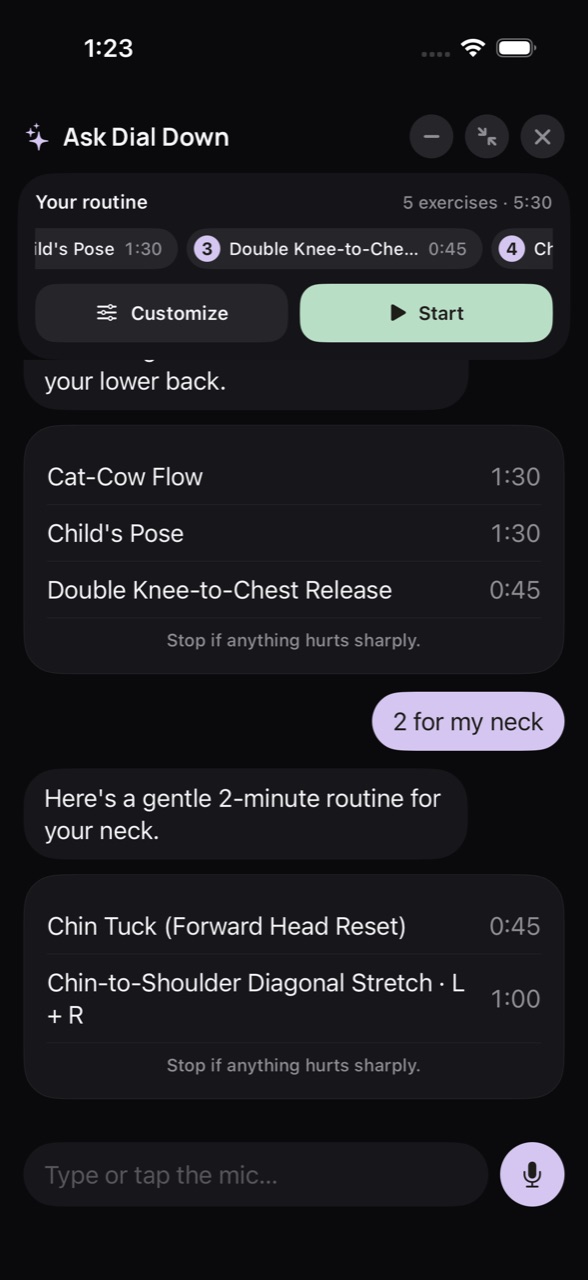
Dial Down picks real stretches from its library and times them for you. Keep asking (“2 for my neck”) and it adds them to the same routine.

  • Builds as you chat
  • Exact timings
  • Safety notes
Ask side chat with routine
04
Customize

Make it yours.

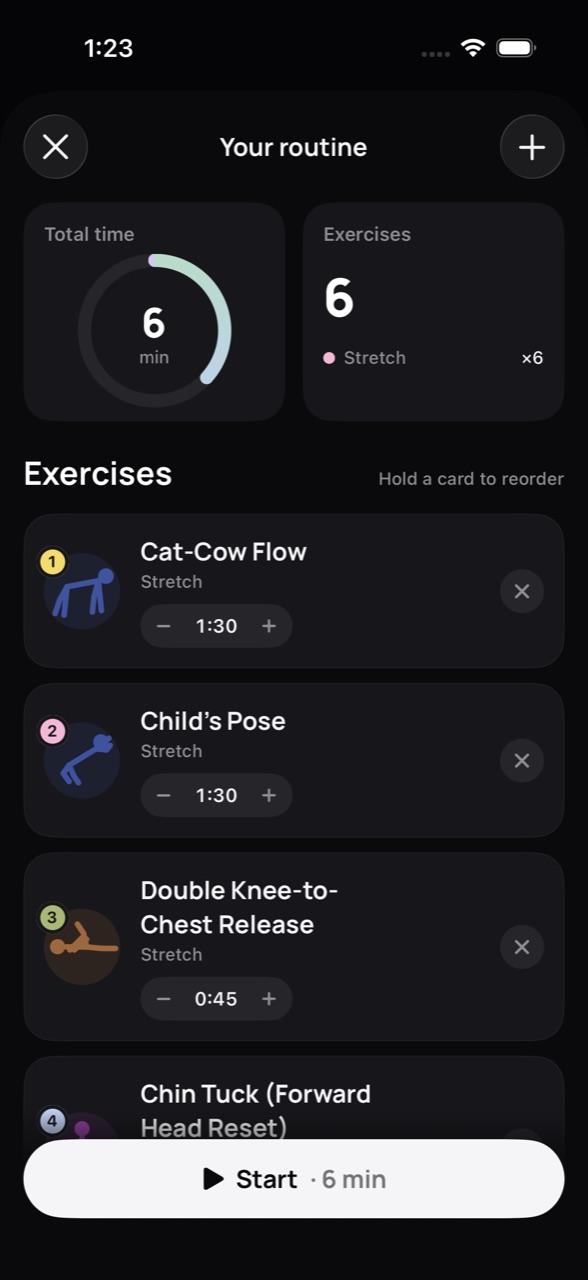
A total‑time ring, a − / + stepper on every exercise, and hold‑to‑reorder cards. Then press Start.

  • Reorder
  • Retime
  • Save as routine
Customize routine screen
05
Body map

Or just point at it.

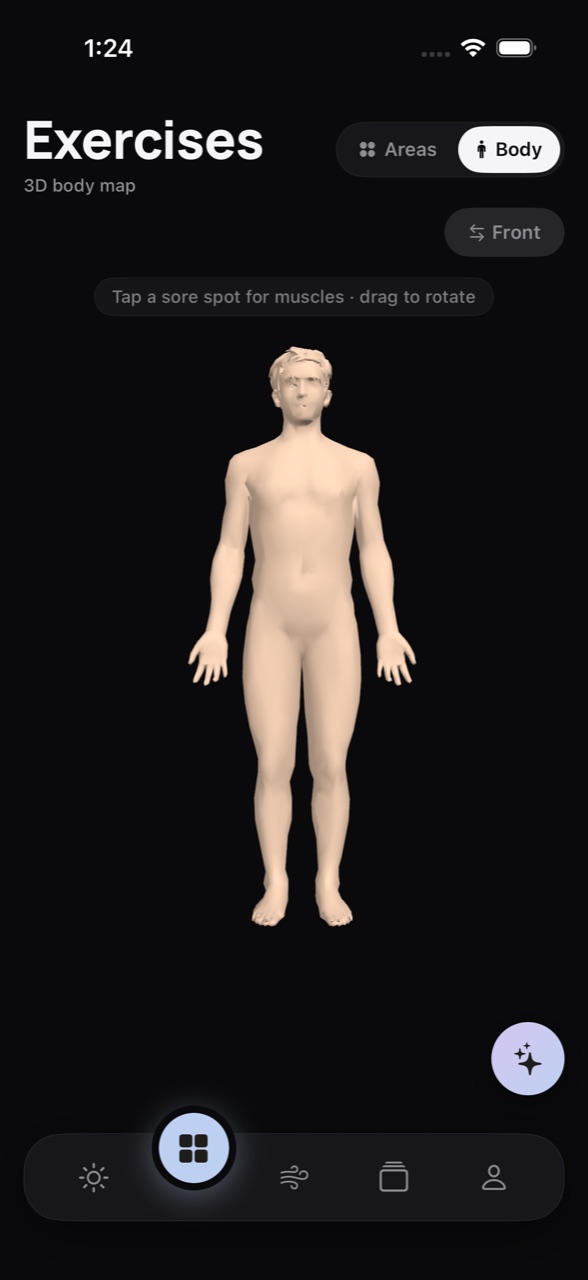
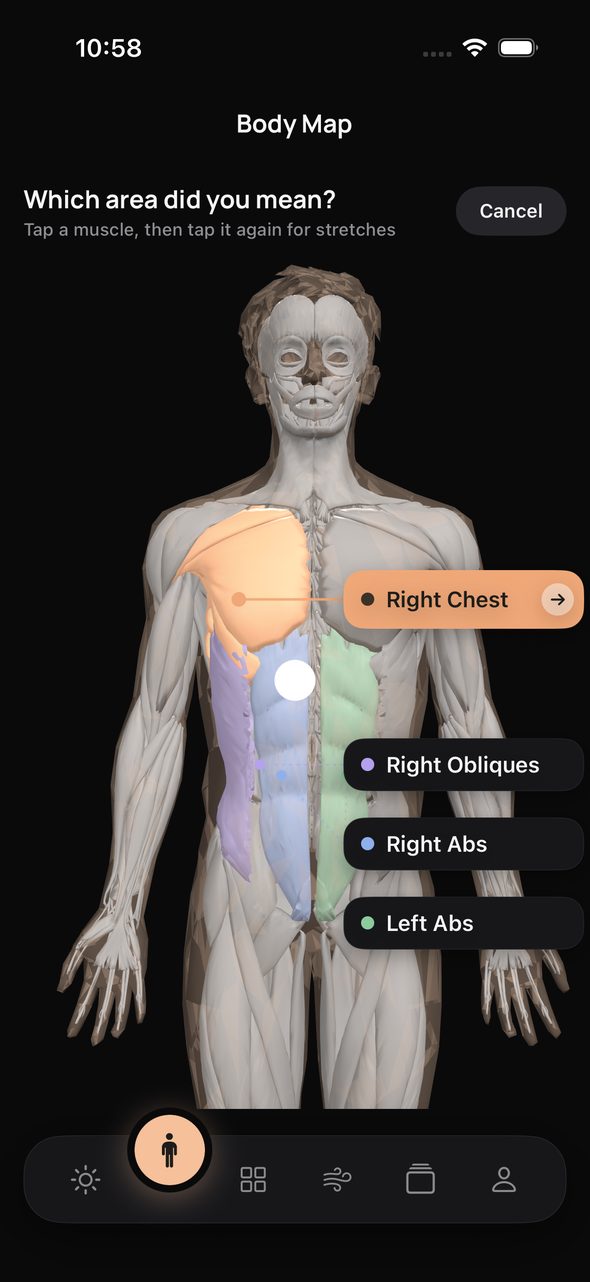
Flip Exercises to Body view, drag to rotate, and tap a sore spot. The muscles underneath light up, and you get their stretches.

  • Rotate & pinch
  • Muscle picker
  • Face zones
3D body map
06
Breathe

Breathe on a rhythm.

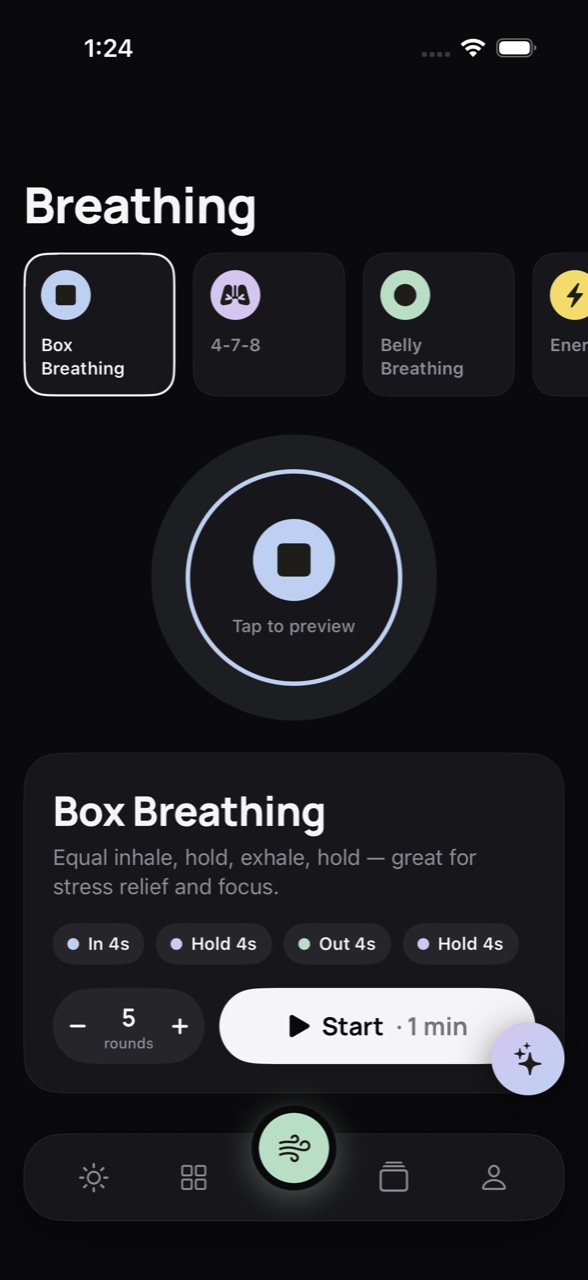
Box, 4‑7‑8, Belly, Energising or your own pattern. Set the rounds, tap to preview, and follow the circle with voice cues and soft haptics.

  • 5 patterns
  • Voice cues
  • Haptics
Breathing screen
07
Routines

Premade, or your own.

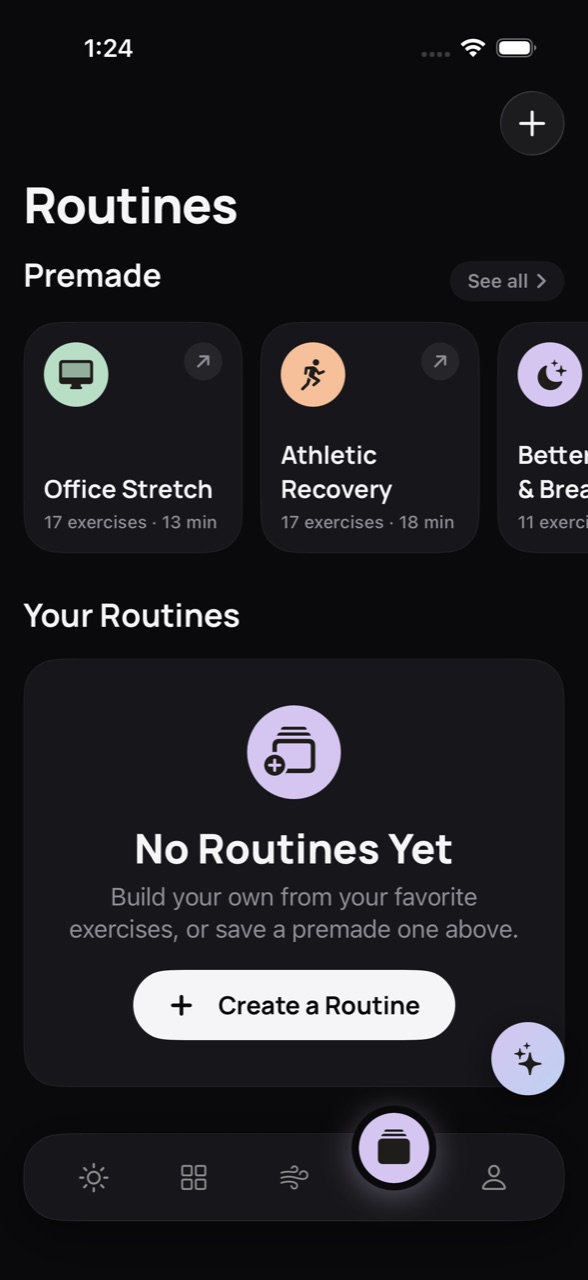
Start from Office Stretch, Athletic Recovery or Better Sleep, or build your own from favourites. Share any routine by link.

  • 5 premade
  • Build your own
  • Share by link
Routines screen
08
Progress

Watch it add up.

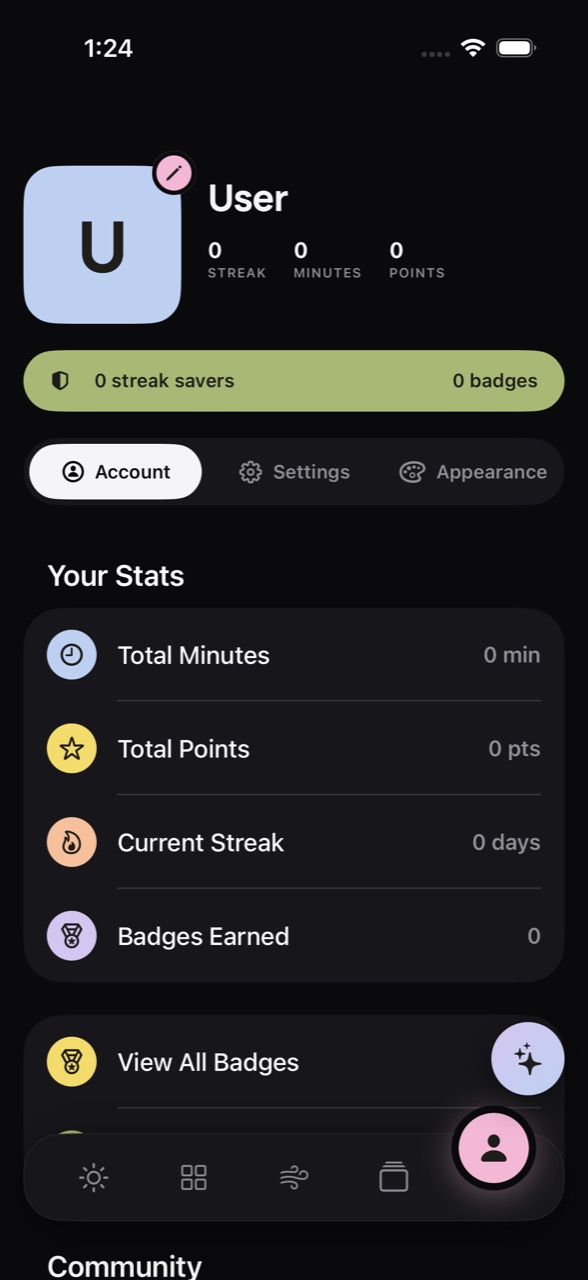
Streaks, minutes, points and badges, with streak savers for the days life gets in the way. Syncs to Apple Health and Calendar if you want it to.

  • Streaks
  • Badges
  • Apple Health
Profile and stats
01 / 08
Today
Ask Dial Down · Chat & voice

Don't search. Just say it.

Type it or hold to talk. Dial Down understands where it hurts, how many exercises you want and how long you have, then builds a routine you can start right away.

Private, on device

It runs on Apple's on‑device model, and your voice is transcribed offline. What you say stays on your iPhone.

Real routines only

It picks only from the 372‑exercise library, using the same engine as the rest of the app. It never invents a stretch.

Safety comes first

Mention numbness or sudden, severe pain and it checks in first, with a button to call emergency services.

Speaks your language

Ask in English, Español, Français or 简体中文.

✦Ask Dial Down
Your routine3 exercises · 3:45
⚙︎ Customize▶ Start
Type or tap the mic…
Ask chat full screen
Go full screenYour routine stays pinned at the top while you keep chatting.
Ask chat shrunk to a pill
Shrink it to a pillKeep browsing. Your routine waits at “5 exercises · 5:30”.
Ask button with a badge showing 5
Close it anytimeThe sparkle button keeps count, so nothing gets lost.
Body Map

Point at the ache. Skip the guesswork.

You don't need to know it's your levator scapulae. Just tap where it hurts.

i.

Tap a sore spot

Drag to rotate, then tap. The body turns to face the point and the skin fades to show the muscles.

ii.

Pick the muscle

Up to four likely muscles light up in pastel, labelled on the emptier side.

Rotatable 3D body map
Muscle picker: which area did you mean?
iii.

Get its stretches

Only the stretches that actually work that muscle, each with a demo and steps.

iv.

Even your face

Forehead, eyes, temples and jaw each get their own zone, for the tension you carry in your face.

Try it now

Take one breath with us.

—
Tap to begin

Few steps to begin

1

Open it as a guest

No account needed. Everything stays on your iPhone until you decide otherwise.

2

Tell it what feels tight

Pick goals and focus areas, or just ask. Today's session builds itself around you.

3

Press Begin

A 3‑2‑1 get‑ready, a looping demo, and a calm voice telling you when to switch sides.

Privacy

Your body. Your data.

Local‑first,
by design.

0Ads
0Trackers
0Purchases

Nothing leaves without you

Without an account, your sessions, routines, streaks and body‑map marks live only on your iPhone. Ask runs on device too. Health and Calendar data never leave it.

Yours to keep, or delete

Export everything, or delete your account in the app. That erases the server copy and revokes Sign in with Apple.

Some days you can't switch it off.
You can always dial it down.

Download on theApp Store